
You Might Be Leaving Money on the Table when booking with Priceline.com!
If you book your cruise on Priceline.com, you might be leaving money on the table.
I wanted to book a cruise aboard a Royal Caribbean ship because we would be in Florida in December, and Royal Caribbean has a variety of ships operating in the area. I thought it would be nice to tack on a cruise after we visit Universal’s Epic Universe. We were visiting right before Christmas and the cruise fares were high, for obvious reasons.
In searching for an affordable cruise, I found one that left from Ft. Lauderdale (Port Everglades) aboard the The Liberty of the Seas, and it was to depart one day AFTER we were done in Orlando.
This is where I conducted some research and found the best deal on Priceline.com.
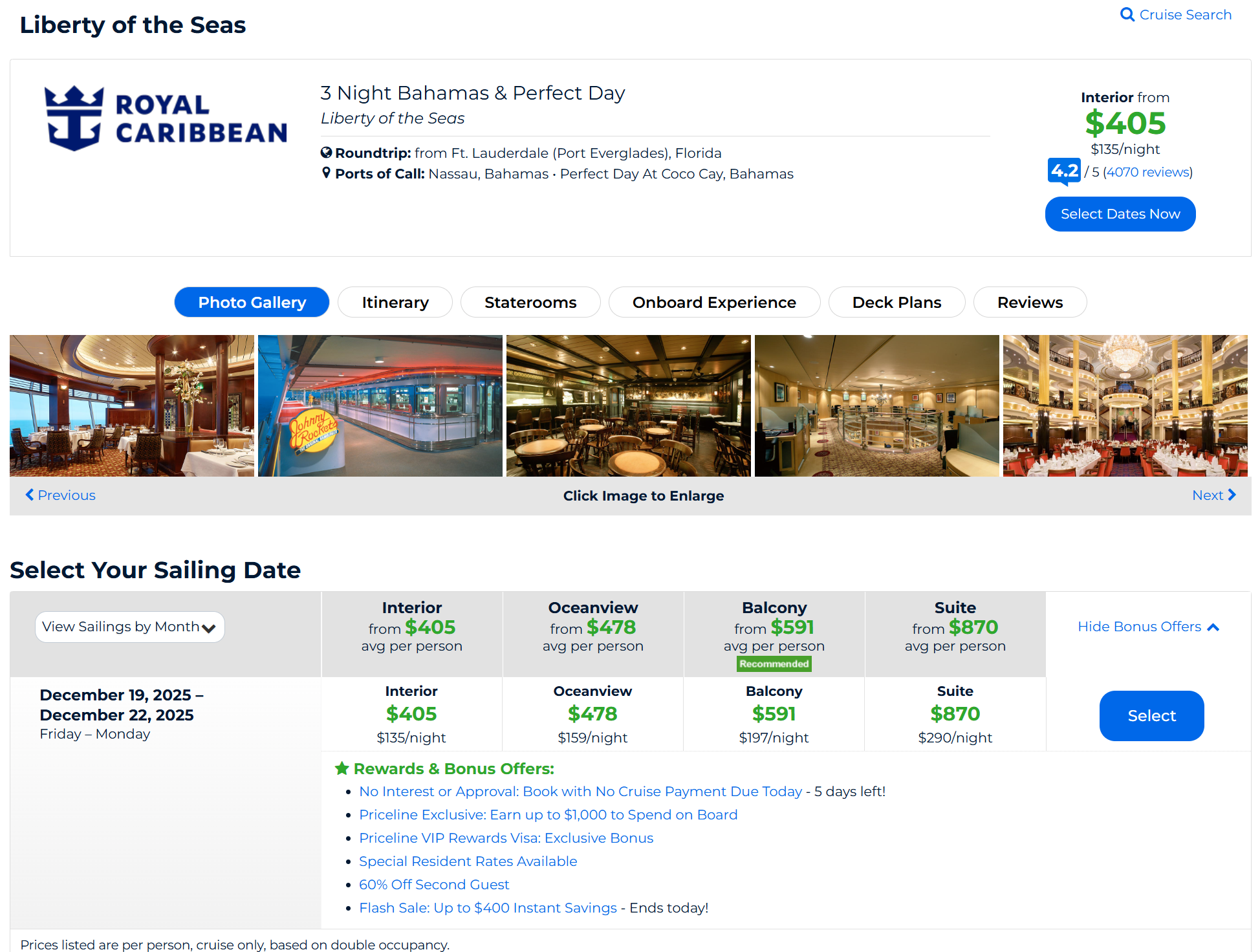
Priceline.com I Search Results for Liberty of the Seas
As an online travel agency (OTA), Priceline.com often offers a lot of rewards and bonus offers to entice their users to book on their site than other websites or through a Travel Agent. During my search, I found these rewards and bonuses:
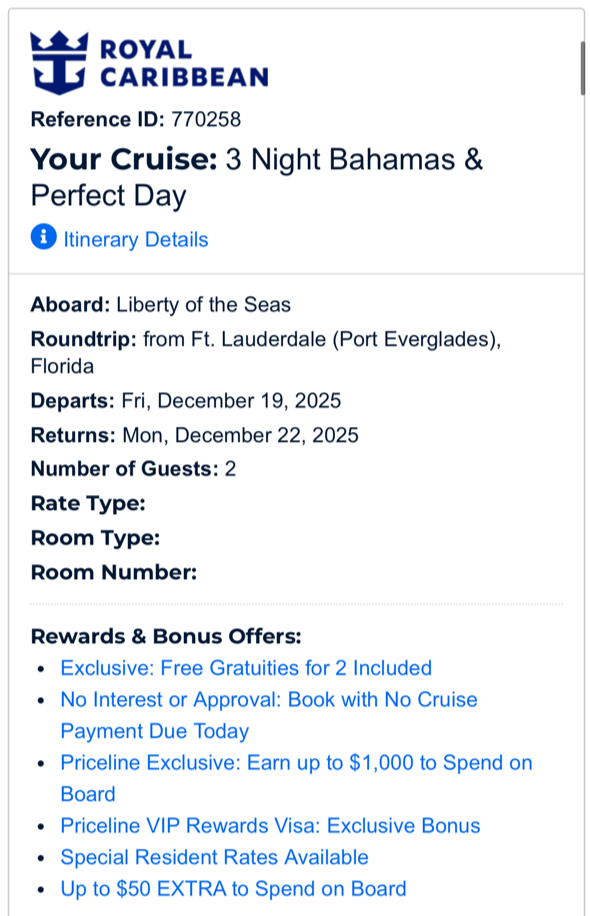
If you notice, there were some excellent rewards and bonus offers, including:
Free Gratuities for 2 Included
Earn up to $1,000 to Spend on Board
I would only get $25 since I spent less than $1,000
Up to $50 EXTRA to Spend on Board
I would only get $25 since I booked a Balcony
When I saw these offers, I thought I was getting a pretty good deal as I was getting $50 in on-board credit and some of my gratuities being paid (more about that in another blog).
After I booked this cruise on Priceline, I noticed an additional step I needed to complete to receive some of my on-board credit.
The $50 in EXTRA on-board credit is automatic and will be applied to my account on the day of boarding, but I can earn up to $1,000 to spend on Board, not the case.
To obtain my $25 on-board credit, the terms state “To qualify, you must log into your My Cruise Reservation account and fill out the redemption form no later than 22 days prior to departure.”
I actually would have probably missed this fact if I weren’t curious to see my cruise on the My Cruise Reservation portal.
To claim your additional on-board credit, you will need to log into your My Cruise Reservation page. Once you are in there, locate your Booking Summary. I don’t have a picture of the button you will click, but it will be among the main blue buttons below the booking summary section.
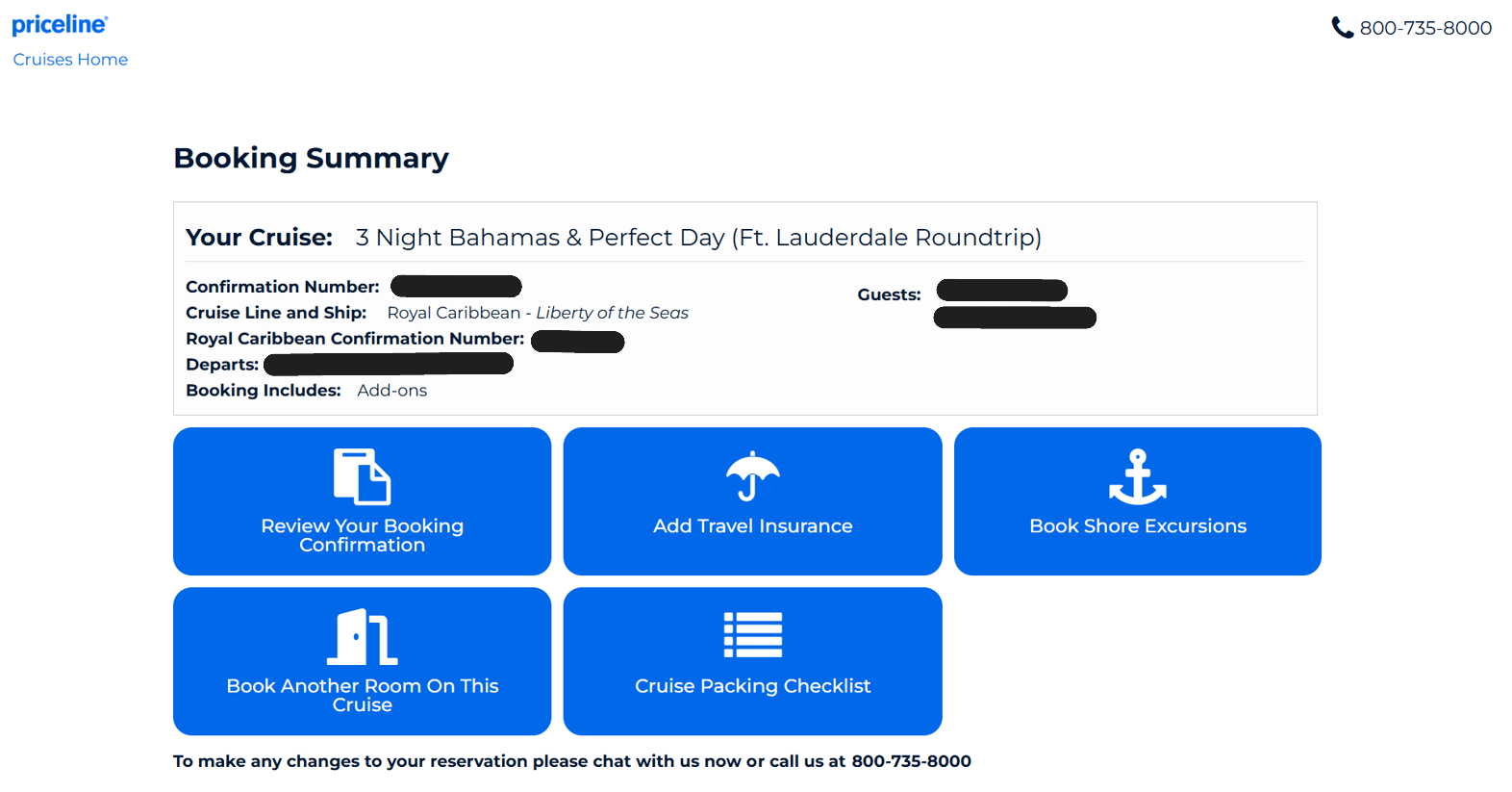
Booking Summary Screen
The button for me to request my $25 on board credit (we spent less than $1,000 on our cruise, so our on board credit was $25) was located next to the cruise packing checklist box and below the book shore excursions. The box is removed once you’ve submitted your request.
Once I did this process, I saw the onboard credit in my Royal Caribbean account a few days later.
So the next time you book using Priceline or any other OTA, check to see what the requirements are to get your on-board credit, otherwise you might be out of luck.